Edit Leave
Adjust plans due to changes or mistakes in leave details
Edit Leave
Purpose: Modify existing staff leave entries for corrections or updates.
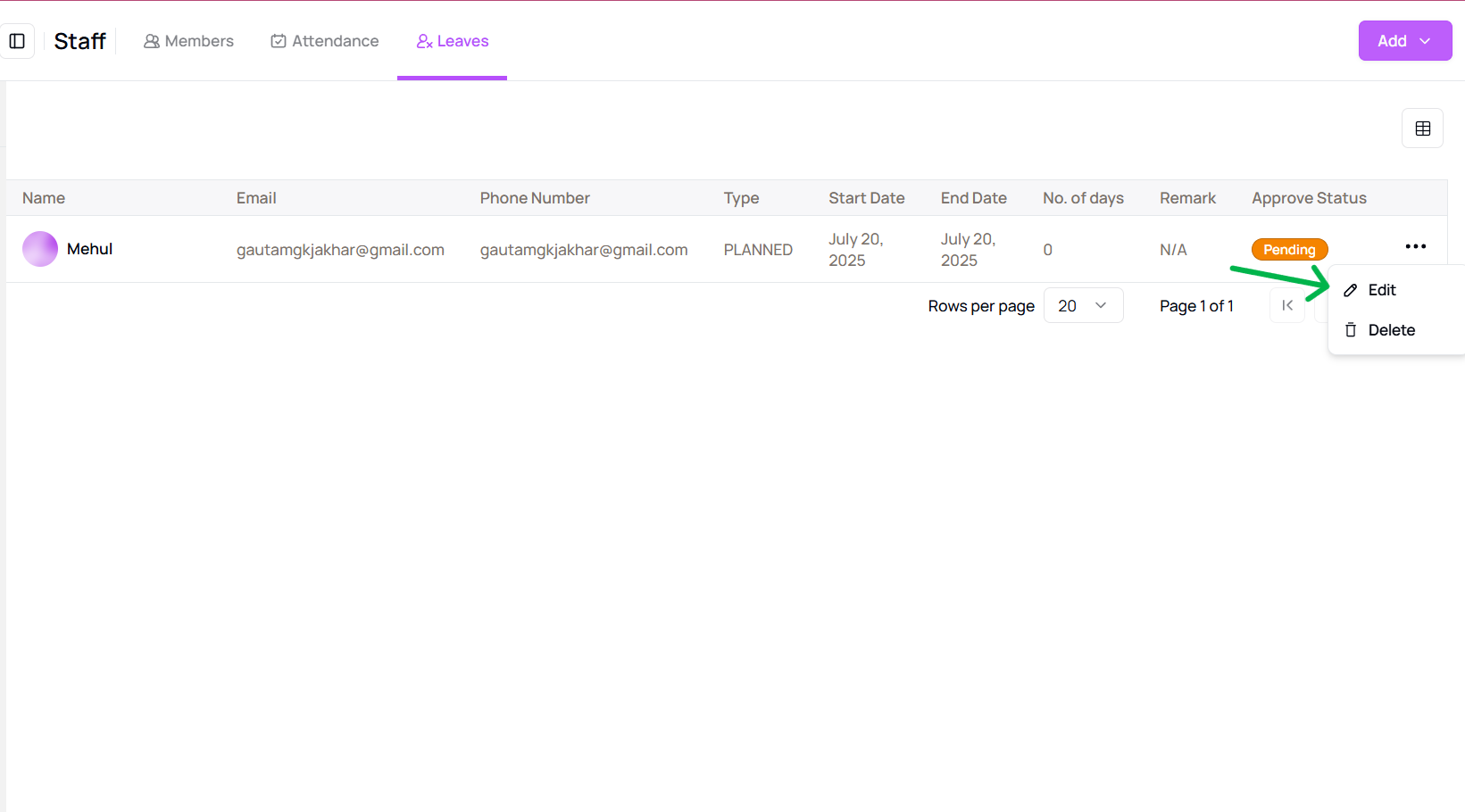
- Go to the “Leave” tab under the Staff section and find the leave record you want to edit.
- Click the three-dot menu next to the leave record and select “Edit”.
- A panel will open where you can update the Leave Type, Staff Name, Dates, and Remarks.
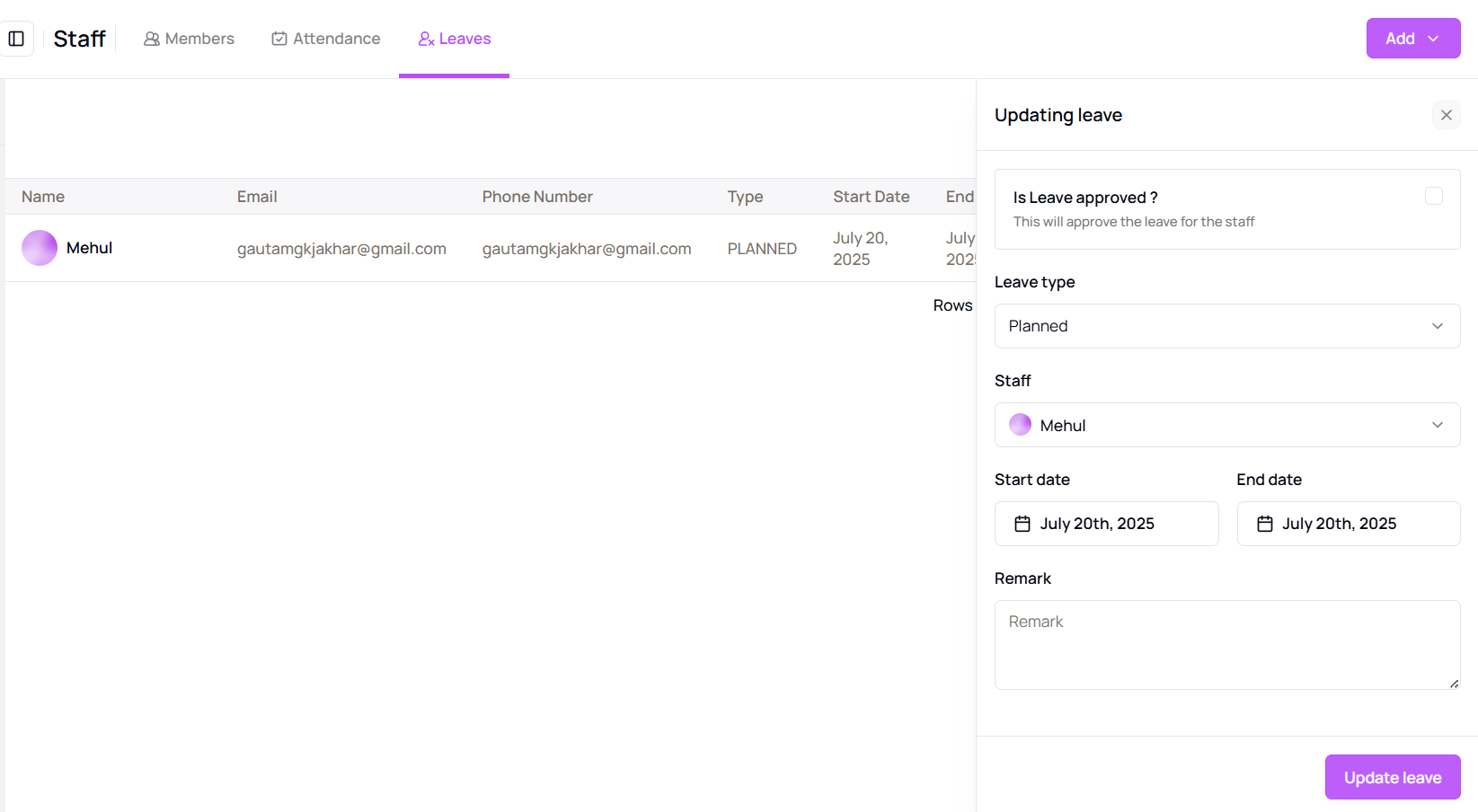
- Click “Save” to apply your changes.
Tip for First-Time Users:
Use remarks to document changes—this helps in maintaining clear history and communication.
More questions about this
Q1. Can I update leave type or remarks later?
Yes, use the edit option from the leave menu to make changes anytime.
Q2. Will staff be notified of the changes?
Staff may receive notifications depending on your alert settings in the Message Center.